
Learn
How do you manage a large fleet of payment terminals?
You manage a large fleet of payment terminals with a terminal management system that keeps every device in one hierarchy, shows its live status and changes parameters, software and keys remotely. This guide covers Linux and Android fleets and how to roll out a new model.
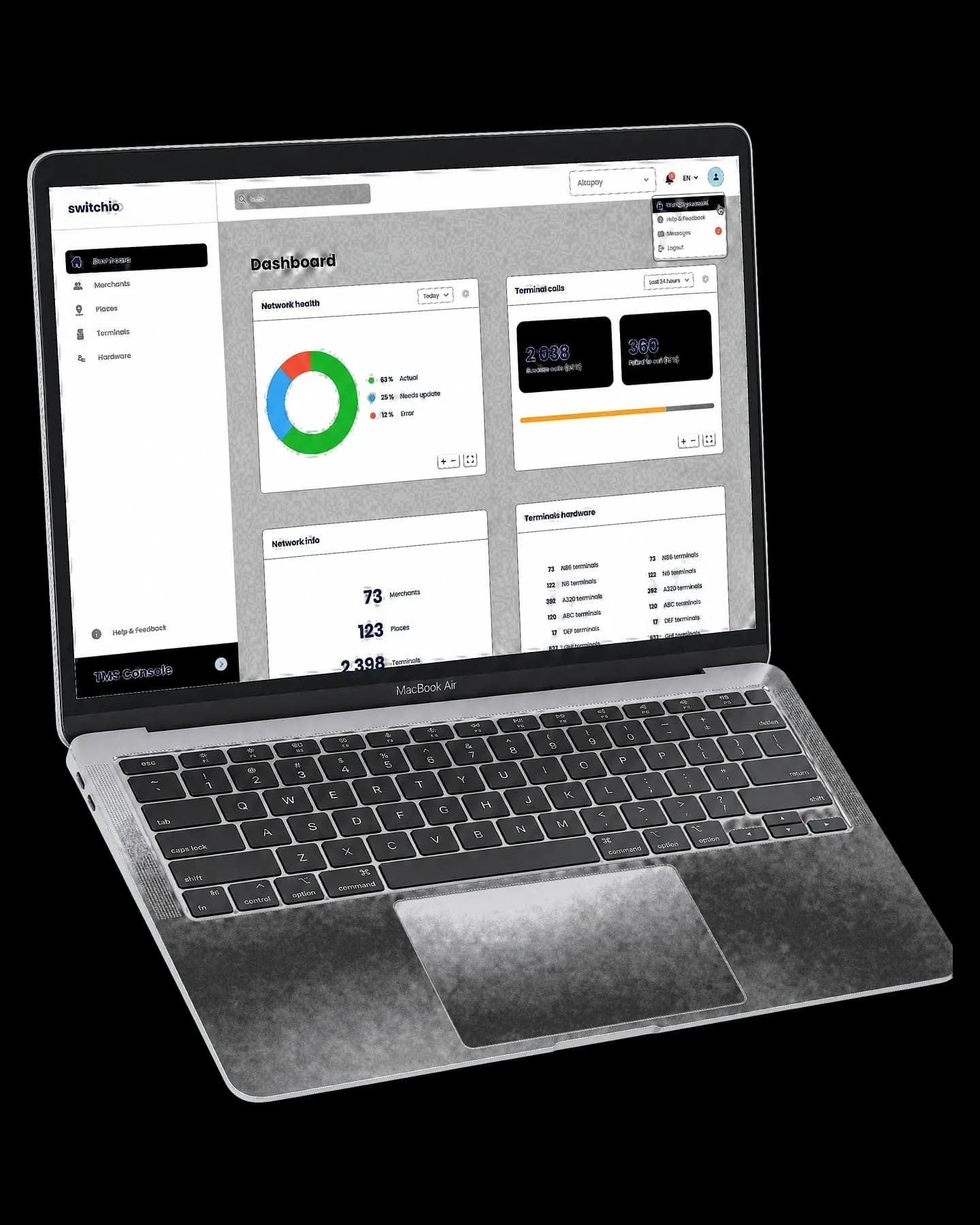
What terminal fleet management covers
You manage a large fleet of payment terminals with a terminal management system (TMS), which keeps every device in one hierarchy, shows its live status and changes its parameters, software and keys remotely, so that no change needs a visit to the device. A fleet can be the countertop terminals of one chain or a mix of counters, unattended machines and phones in several countries, and every change has to reach all of them.
A payment terminal management system covers eight areas.
- Inventory and hierarchy. Each terminal sits in a tree, for example network, merchant, location and terminal, and inherits its settings from it.
- Live status. The terminal dashboard shows when each device last called in, what it runs and how it is configured.
- Remote parameters. Identifiers, languages, currencies, receipt texts and cash register settings change centrally.
- Firmware and application updates. The operating system, the payment application and the EMV configuration are updated in controlled waves.
- Key injection. The keys that protect PINs and card data are loaded into the terminal's secure hardware and replaced without anyone handling them in clear.
- Onboarding in batches. New devices are imported as a batch and inherit their setup from the place they are assigned to.
- Role based access. Each team sees and changes only its part of the tree, and every change is logged.
- Reporting. Status and version reports show which devices are behind.
How the TMS reaches the terminals
In most setups the terminal starts the conversation. It calls the TMS on a schedule or after a restart, reports its status and downloads whatever is waiting, such as a parameter file, a software package or new keys. A central change therefore reaches a device on its next call, and the call history shows which devices already have it.
Settings follow the hierarchy. A currency set at network level applies to every merchant below it, a merchant can override it, and one location can change without touching the rest. The fewer settings a single terminal carries on its own, the easier the fleet is to keep consistent.
The terminal dashboard is where support starts. For any device it should show the last call, the software and configuration, the hardware and the recent changes, so that a fault can be matched to the change that came before it.
EMV data needs the same care. Card schemes publish the dates on which they add and retire the public keys that terminals use to authenticate cards offline, so every device needs the current set before an old key expires.
Confirm certification
Check PCI PTS approval, certification for your payment application and EMV Level 3 with every acquirer you route to.
Build the profile
Set the model's parameters, languages, currencies and cash register mode at network or merchant level, so new devices inherit them.
Test with your systems
Run the model against your cash registers and acquirers in a test environment, then validate it in acceptance.
Load the keys
Inject the keys in a secure facility or remotely, and record which key set each serial number carries.
Import the batch
Register the serial numbers under their locations, so each terminal gets its software, parameters and keys on its first call.
Pilot a few sites
Go live in a few locations, watch call history, declines and register errors, and fix the profile before it spreads.
Roll out in waves
Swap location by location, check that each new terminal called in with the target versions, and deactivate the old ones.
Linux and Android fleets
Most current payment terminals run either a Linux based system or Android. On Linux terminals such as Ingenico LANE, DESK and MOVE, or SELF and OPEN in unattended machines, the TMS manages the firmware, the payment application, parameters and keys, and the cash register connects over a protocol such as B-protocol or IFSF.
Android terminals from PAX, NEXGO, Ingenico or FEITIAN add a layer. The payment application is one app among several, other apps come from an approved store on the device, and the Android version has to be tracked too. Makers also run their own device management, for example MAXSTORE on PAX, which covers remote management and key injection.
The table compares the two families. A mixed fleet stays manageable because the Linux and Android payment applications share one modular core, so cashiers follow the same flow and a new model becomes a rollout rather than a new integration. Remote management through the TMS covers the Android devices. SoftPOS phones can join the same fleet as a third device type.
| Criterion | Linux terminals | Android terminals |
|---|---|---|
| Example devices | Ingenico LANE, DESK, MOVE, SELF and OPEN | PAX, NEXGO, Ingenico AXIUM and FEITIAN |
| Cash register link | Standalone, or B-protocol, IFSF or a custom protocol | Standalone, app to app, an external register over GSA, or cloud APIs |
| How apps arrive | Pushed by the TMS on the next call | Pushed by the TMS or taken from an approved store such as Switchio Store or MAXSTORE |
| What the TMS tracks | Firmware, payment application, parameters and keys | The same, plus the Android version and other approved apps |
| Best for | High traffic counters with an integrated register, and unattended machines. | Merchants and PSPs that want business apps next to payment. |
What goes wrong without it
Fleets without central management fail in predictable ways.
- Every change becomes a visit. A new receipt text means a technician, a courier or a phone call to each store.
- Versions drift. A fix reaches only the devices someone remembered, and nobody can say which terminal runs what.
- Deadlines slip. Card schemes change rules and retire keys on fixed dates, and each device that misses the update becomes a compliance problem.
- Faults surface through complaints. A broken terminal is noticed when someone reports it, and an unattended machine has nobody to report it.
- Access is all or nothing. Whoever can change one store can change all of them, and no log shows who did.
- Hardware multiplies. Before it moved to one platform, MOL Group took bank cards on one terminal and fleet cards on another across its 1,900 service stations.
Rolling out a new terminal model
Every fleet changes hardware sooner or later, because makers retire models and new uses need new devices. The rollout is also where mistakes spread fastest, since every new device copies the same profile. The steps below run from certification to a phased rollout and apply to countertop, handheld and unattended models alike.
How Switchio does it
The Switchio Terminal Management System runs on the Switchio payment orchestration platform, so the devices it manages send their transactions through the same switch and appear in the same reports. Terminals sit in a hierarchy of network, merchant, location and terminal, with no limit on network size, countries or terminal count.
Customers reach the data in two ways. The TMS API carries status and configuration into your systems over mTLS and VPN, and the developer overview lists the other integration points. The TMS Lite Portal, available over the internet, covers everyday work outside the PCI DSS scope, including batch imports.
The payment application runs with one interface on Ingenico Linux terminals and on Android devices, and certified models are in the terminal catalogue. Android terminals come with Switchio Store preinstalled, PAX devices also support MAXSTORE, and SoftPOS phones join the fleet with a nine digit activation code generated during onboarding.
Tell us how your fleet is built today and we will show you how it would run from one hierarchy.
Talk to an expertQuestions people ask
What is a terminal management system?
A terminal management system (TMS) is software that keeps payment terminals in a hierarchy and manages them remotely. It shows each device's status, pushes parameters, firmware, applications and keys, and logs every change.
What should a terminal dashboard show?
For each device, the status, the last call, the configuration, installed apps, hardware data and the change history. For the whole fleet, the terminals that have not called in and those on an outdated version.
Can one TMS manage Linux and Android terminals?
Yes, if the payment application and the TMS support both. Parameters, updates and keys are handled the same way, and Android adds app management through an approved store on the device.
How are keys loaded into payment terminals?
Keys are injected into the terminal's secure hardware in a key injection facility before shipping, or remotely where the device supports remote key loading. Methods such as DUKPT then derive a separate key for every transaction.
- What is payment orchestration?Payment orchestration is a software layer that sits between the places where payments are accepted and the acquirers that process them, and decides for each transaction where it goes. This guide explains it for terminals, SoftPOS phones, kiosks and transit validators.
- What is the difference between payment orchestration and a payment gateway?A payment gateway carries a transaction to an acquirer, while payment orchestration decides which acquirer should receive it and moves it to another one when the first is unavailable. This guide compares the two for in-person payments.
- What is a payment switch and how does it work?A payment switch is the system that receives authorisation requests from terminals and other devices, decides where each one should go and forwards it to the acquirer in the protocol that side expects. This guide covers what it does, its architecture and how to choose one.
Talk to Us
Connect with our team.
Share your current setup with us, and we’ll map out how it looks on one streamlined platform.
Other ways to reach us
Email
info@switchio.comPhone
+420 577 110 411
